Auction House: Difference between revisions
No edit summary |
|||
| Line 31: | Line 31: | ||
==[[Merchant]] Skill== | ==[[Merchant]] Skill== | ||
[[File:AuctionManager.png|250px|thumb|What you'll see the first time you open your shop.|link=]] | [[File:AuctionManager.png|250px|thumb|What you'll see the first time you open your shop.|link=]] | ||
you can use [https://docs.godotengine.org/en/latest/tutorials/ui/bbcode_in_richtextlabel.html#reference BBCode] in your shop message to really make it stand out! | |||
Latest revision as of 17:46, 18 October 2025
Not everyone can be online at the same time, and that can pose a problem for people looking to make trades.
Thankfully, Soul's Remnant has an Auction House where you can list your items for potential buyers to see and purchase easily.
(While it is called an Auction House, there is no bidding involved when it comes to purchasing an item)
Shopping
Quick Search bar up top, your current amount of Soul Crystal to the right, and quick way to close the Auction House and open the Mailbox in the top right.
Home: Popular Items and Newly Listed Items Search: In depth Name, Price Min, Price Max, Type, Element, Specific Stats (up to 4) Price History: Search for an item to show price history, and you can set a Time Frame too! Last Day, Last Week, Last Month, Last Year!
Selling
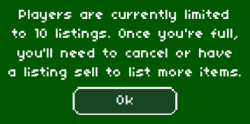
listings
Your items will stay listed for a maximum of 7 days before being sent back to you in the mail.
Left Clicking an item will bring it into the Auction House window, and place a Selector Symbol within your inventory to show which one you are selling.
Recent Avg: recent average price Lowest: Lowest price ever Amount: how many to sell Price Per: duh List Item: complete listing
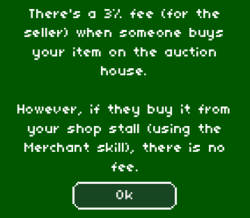
Merchant Skill
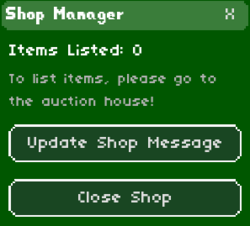
you can use BBCode in your shop message to really make it stand out!